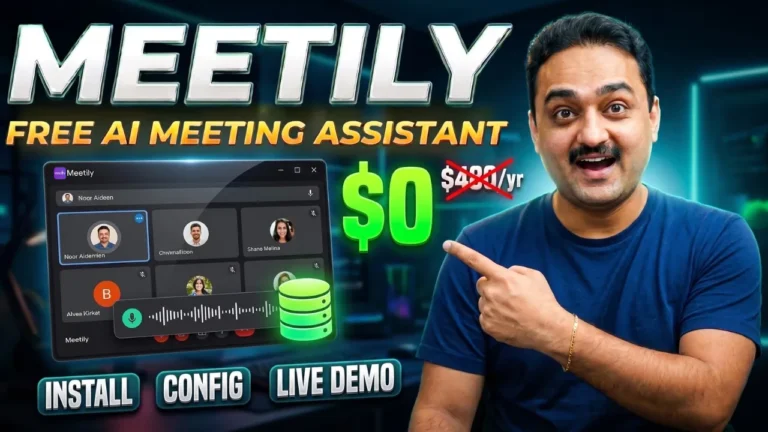
Are you worried about uploading private, confidential company meeting data to third-party AI tools like Otter.ai or Fireflies? Data privacy is the biggest problem with meeting assistants right now — every recording you make is shipped to someone else’s cloud server, opening the door to leaks, breaches, and corporate espionage. Meetily is the solution: a 100% free, open source, privacy-first AI meeting assistant that does all transcription and summarization locally on your computer, with no cloud required.
TL;DR: Meetily is a free, open-source, Rust-powered AI meeting assistant (from Zakaria Solutions). It intercepts system audio + microphone, mixes them with FFmpeg, transcribes live with Whisper (CPU) or the 4x-faster Parakeet model (Apple Silicon/GPU), then summarizes locally via an LLM served through Ollama. Transcripts and summaries are stored in a local SQLite database — no S3, no MongoDB cloud, everything stays on your hard drive.
Watch the full walkthrough below, or keep reading for the step-by-step breakdown.
What You’ll Learn
- Why cloud meeting assistants are a data-privacy risk
- Meetily’s backend architecture (Rust, Tauri, FFmpeg)
- Whisper vs Parakeet transcription engines and when to use each
- How local AI summarization works (Ollama, templates, language options)
- Step-by-step Windows install from GitHub Releases
- A real live demo: transcription + editable summary + action items
Meetily at a Glance
| Feature | Detail |
|---|---|
| Cost | 100% free, open source |
| Backend | Rust (fast, memory-efficient) |
| Desktop UI | Tauri + Next.js |
| Live transcription | Whisper (CPU-friendly) or Parakeet (~4x faster, GPU/Apple Silicon) |
| Summarization | Local LLM via Ollama API (or any OpenAI-compatible endpoint) |
| Storage | Local SQLite database with auto schema migrations |
| Platforms | Windows, macOS (binaries from GitHub Releases) |
The Direct Answer: How Meetily Works
Meetily’s core philosophy is 100% local processing, no cloud required. Here’s the pipeline:
- Capture — open the app and it intercepts both your system audio and microphone.
- Mix — real-time audio mixing happens through FFmpeg.
- Transcribe — the audio pipeline feeds a transcription engine:
- Whisper (default): highly accurate and runs fine on the CPU.
- Parakeet (NVIDIA Parakeet/TDT): runs on Apple Silicon or any GPU, about 4x faster than Whisper, so live-transcript latency is minimal — you keep speaking and text appears in real time, fully offline.
- Summarize — when the meeting ends, Meetily picks up the full raw transcript and sends it to a local LLM via Ollama API endpoints. The LLM generates action items, key points, and a summary in a structured format.
- Flexible alternative — on low-end machines that can’t run local AI, you can connect a cloud group or any custom OpenAI-compatible endpoint; the default and recommended way is local.
Data Storage: Everything Stays Yours
All transcripts and generated summaries are saved locally in a SQLite database (with automatic schema migrations). No remote S3 bucket, no MongoDB cloud — completely your own hard drive. That’s a game changer for legal firms, healthcare providers, and enterprise executives whose security policies prevent them from using cloud AI tools.
Step-by-Step: Install Meetily on Windows
- Open
github.com/zakariaSolutions/meetily(the Meetily GitHub repo). - Scroll to the installation section and click the Windows release link.
- Download the Windows installer file (~41.3 MB). On macOS, download the corresponding macOS file.
- Right-click and Save link as anywhere, then run the installer — just click Next.
- On the Welcome to Meetily screen, click Get Started.
- Click Let’s Go to download the transcription engine and summarization engine.
- Meetily downloads the models in the background (top right you’ll see the summary model, e.g. a ~3.5B model, and the transcription model Parakeet, plus a ~2.6 GB Parakeet variant). You can click Continue while downloads finish.
Live Transcription + Generated Summary
After models are loaded, click the microphone icon and read a sample script. Result:
- Transcription will appear in real-time as you speak (correct even with speech hiccups).
- Clicking Generate Summary will produce a structured, editable summary in under a minute (faster on a better GPU/machine) with sections for Decisions, Action Items, and Discussion Highlights.
- The summary editor supports deleting/coloring paragraphs, adding headings/quotes via the plus sign, and selecting your AI model (e.g., a ~3.5B summary model, or a smaller 3.2B variant for faster summaries).
- Language options include English, Chinese, and others (Hindi is present; Urdu isn’t).
- Six summary templates are provided (daily stand-up, project syncs, client sales meeting, etc.).
- Save keeps the summary inside Meetily; Copy lets you paste it into Word or Google Docs.
- Already have a recording? Use Import Audio → drop/select the file → Import, then transcribe and summarize it locally.
Who Should Use Meetily
| User type | Why it helps |
|---|---|
| Legal firms | Client-attorney calls can’t leave your machine |
| Healthcare providers | Patient data stays local |
| Enterprise executives | Compliance with no-cloud security policies |
| Remote teams | Free meeting notes without subscriptions |
| Privacy-conscious individuals | Your voice data never touches a server |
Frequently Asked Questions
Q: Is Meetily really free and open source?
A: Yes — Meetily is 100% free and open source, developed by Zakaria Solutions. You only pay for your own hardware (or optionally an OpenAI-compatible endpoint if you choose to use one).
Q: Does Meetily work offline?
A: Yes. Transcription (Whisper or Parakeet) and summarization (local LLM via Ollama) run entirely on your machine — no cloud required. Nothing leaves your PC.
Q: What’s the difference between Meetily and cloud tools like Otter.ai or Fireflies?
A: Cloud tools send your meeting audio to their servers for processing, creating leakage and compliance risk. Meetily does 100% local processing, so your data remains on your own hard drive in a local SQLite database.
Q: Which transcription engine should I choose?
A: Use Whisper if you want accuracy that runs on any CPU. Use Parakeet if you have Apple Silicon or a GPU — it’s roughly 4x faster, which minimizes live-transcript latency.
Q: Can I use Meetily on a low-end machine?
A: Yes — if you can’t run local AI models, Meetily lets you connect a cloud provider or any custom OpenAI-compatible endpoint for summarization. Local remains the recommended default.
Q: What happens to my meeting transcripts and summaries?
A: They’re saved locally in a SQLite database with automatic schema migrations — no remote S3 buckets or cloud databases.
Q: Can I process already-recorded meetings?
A: Yes. Use Import Audio in the sidebar, pick your file, import it, then transcribe and generate its summary locally.
Key Takeaways
- Meetily is a free, open-source, privacy-first AI meeting assistant built on Rust (Tauri + Next.js).
- 100% local pipeline: FFmpeg audio mixing → Whisper/Parakeet transcription → local LLM summarization via Ollama.
- Parakeet is ~4x faster than Whisper and ideal for Apple Silicon/GPU users; Whisper runs great on CPU.
- Transcripts and summaries live in a local SQLite database — no S3, no MongoDB, no cloud.
- Outputs editable summaries with decisions, action items, discussion highlights, six templates, and multiple languages.
- Can import already-recorded audio files for local transcription and summarization.