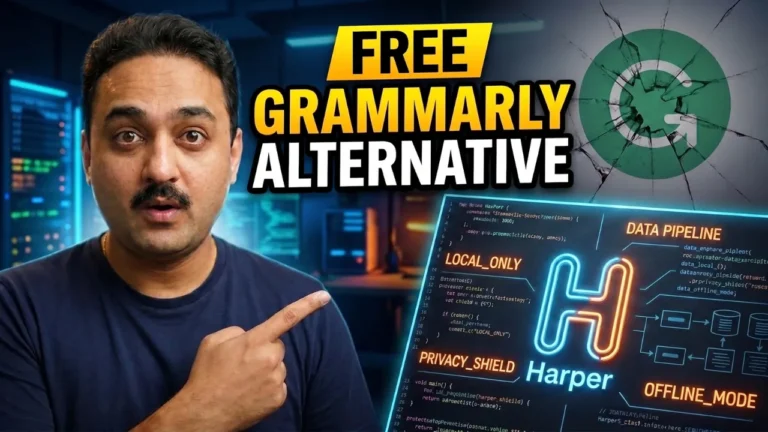
Harper is a free, open-source English grammar checker written in Rust that operates entirely offline. Designed as a privacy-focused alternative to cloud-based tools, it processes text locally on the user’s device in milliseconds while using significantly less memory than comparable software.
Maintained under Automattic, the tool functions across websites via a WebAssembly-powered browser extension. It also integrates into popular code editors like Visual Studio Code and Neovim using a language server, allowing developers and privacy-conscious users to check documents and code comments securely.
Writing emails, code comments, and documents is a daily habit — and one slip-up can damage your credibility. Grammarly has been the default fix, but it has two big problems: a pricey premium tier and a privacy trade-off, since every word you type is processed on their cloud servers. Harper is a completely free, open-source grammar checker that runs fully offline on your own machine — no subscriptions, no data leaving your device, corrections in milliseconds.
TL;DR: Harper is an English grammar checker written in Rust that runs locally (or in the browser on WebAssembly), uses roughly 1/50th the memory of LanguageTool, lints documents in milliseconds, works as a Chrome extension across any website, and plugs into VS Code/Neovim via the Harper-ls language server (Harper LS). It’s open source under Automattic (the WordPress company) with 14,000+ GitHub stars. Grammarly disabled; zero cloud calls — it just works.
Watch the full walkthrough below, or keep reading for the step-by-step breakdown.
Why Harper Beats Grammarly & LanguageTool
| Feature | Harper | Grammarly | LanguageTool |
|---|---|---|---|
| Price | Free & open source | Free tier + paid premium | Free + premium |
| Works offline | Yes, 100% local | No (cloud) | Desktop apps, but heavy |
| Privacy | Text never leaves device | Sent to cloud servers | Cloud for free tier |
| Memory footprint | ~1/50th of LanguageTool | High | Multi-GB RAM locally |
| Editor support | VS Code, Neovim, Helix, Emacs | Browser + limited | Varies |
| Transparency | Open source (Automattic) | Proprietary | Partially open |
The Direct Answer: What Makes Harper Special
Five core strengths:
- Privacy-first architecture — the engine runs locally; what you type never goes to the internet.
- Insane performance — powered by Rust; its memory footprint is about 1/50th of LanguageTool and it lints a document in milliseconds, so corrections appear as you type with zero lag.
- WebAssembly support — Harper compiles to WASM, so it runs directly in the browser as an extension with no server backend; the payload runs locally in your browser tab.
- Broad ecosystem integration — it ships a Language Server Protocol implementation called Harper LS, giving native editor support.
- Open source community — maintained under Automattic (behind WordPress), 14,000+ GitHub stars, fully transparent rule code you can even contribute to.
Step-by-Step: Install & Use the Chrome Extension
Step 1: Get Harper
- Open writewithharper.com (the official site shown in the video).
- Click Get Harper → Chrome → Add to Chrome → Add Extension.
Step 2: Use It on Any Website
- Open any site where you type — e.g., a blank Google Doc.
- Harper checks text as you type, for example instantly flagging and fixing a misspelling like literature.
- It also underlines grammar issues (e.g., a misused can) — click the underlined word to see correction suggestions and click again to apply.
Harper LS: Linting Inside Your Code Editor
Harper LS (the Language Server Protocol implementation) lets you lint code comments and Markdown files directly inside the editor — huge for developers writing API docs.
| Editor | Support |
|---|---|
| VS Code | Yes (extension via Harper LS) |
| Neovim | Yes |
| Helix (hx) | Yes |
| Emacs | Yes |
Who Should Use Harper
| User type | Why it helps |
|---|---|
| Developers | Lint code comments & READMEs without a cloud service |
| Enterprises under NDAs | Strict data rules — nothing leaves your machine |
| Students | Free grammar checking for assignments |
| Privacy-conscious professionals | Emails and proprietary notes never go to servers |
Frequently Asked Questions
Q: Is Harper really free?
A: Yes — Harper is completely free and open source, distributed under Automattic on GitHub with over 14,000 stars.
Q: Does Harper work offline?
A: Yes, that’s its biggest feature. The engine runs locally on your machine with no cloud servers or third-party API calls — ideal for NDAs and proprietary code.
Q: How is Harper different from Grammarly?
A: Harper is free, open source, and 100% local; Grammarly sends your text to its cloud servers and has a paid premium plan. Harper also runs far lighter than heavy local alternatives like LanguageTool (about 1/50th the memory footprint).
Q: How fast is Harper?
A: Very fast. Because it’s written in Rust, it lints documents in milliseconds, giving instant corrections as you type without lag.
Q: How do I use Harper in my code editor?
A: Use its Language Server Protocol implementation, Harper LS — it integrates with VS Code, Neovim, Helix, and Emacs to lint code comments and Markdown.
Q: Where does my data go when using the browser extension?
A: Nowhere. The extension runs a WebAssembly payload locally in your browser tab, so your data never leaves your device.
Key Takeaways
- Harper is a free, open-source, privacy-first English grammar checker backed by Automattic (WordPress) with 14,000+ GitHub stars.
- It runs completely offline — the engine is local, and the browser extension runs WASM payloads locally in your tab.
- Rust-powered: ~1/50th the memory of LanguageTool and millisecond-lint speed for zero-lag corrections.
- Works as a Chrome extension and lints code comments/Markdown in VS Code, Neovim, Helix, and Emacs via Harper LS.
- Install it in minutes on any website where you type — Google Docs included.